

Windows apps has default permission to run in background. These apps may cause your pc or laptop to slow down. If you want such apps to stop from running in Background then in this blog you can know how to stop these apps from running in Background.
These apps are by default running in your background while you are doing some other tasks. To stop these apps from running in background just follow these simple steps :
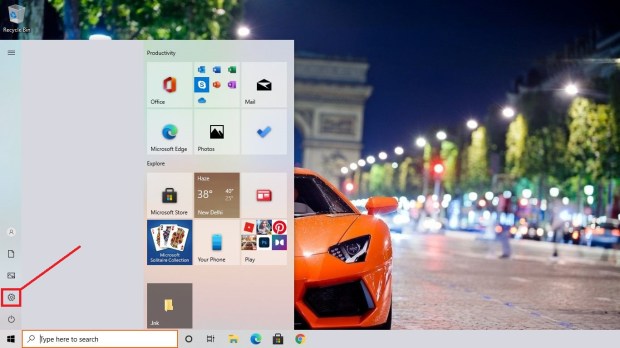
- Click on start button

2. Click on Settings
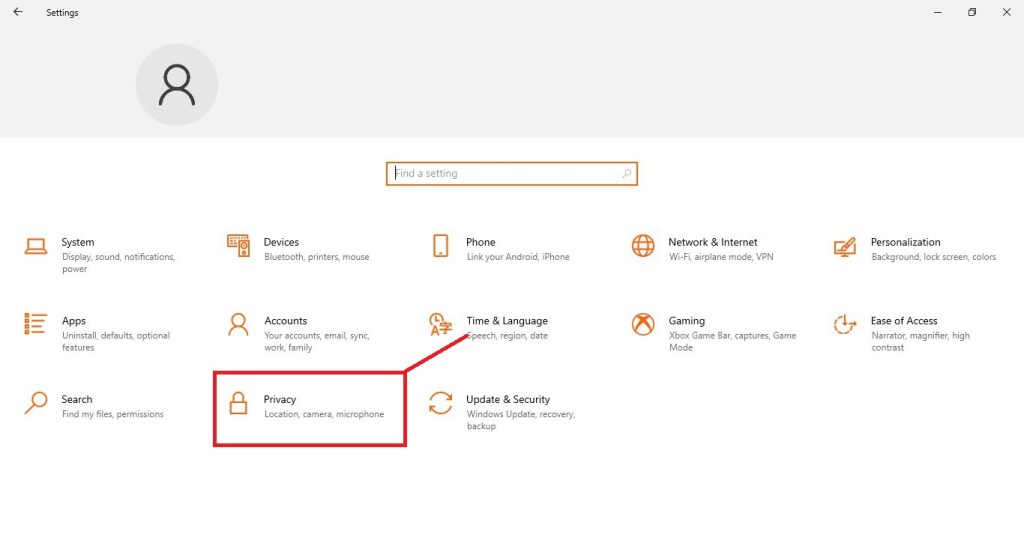
3. Click on Privacy
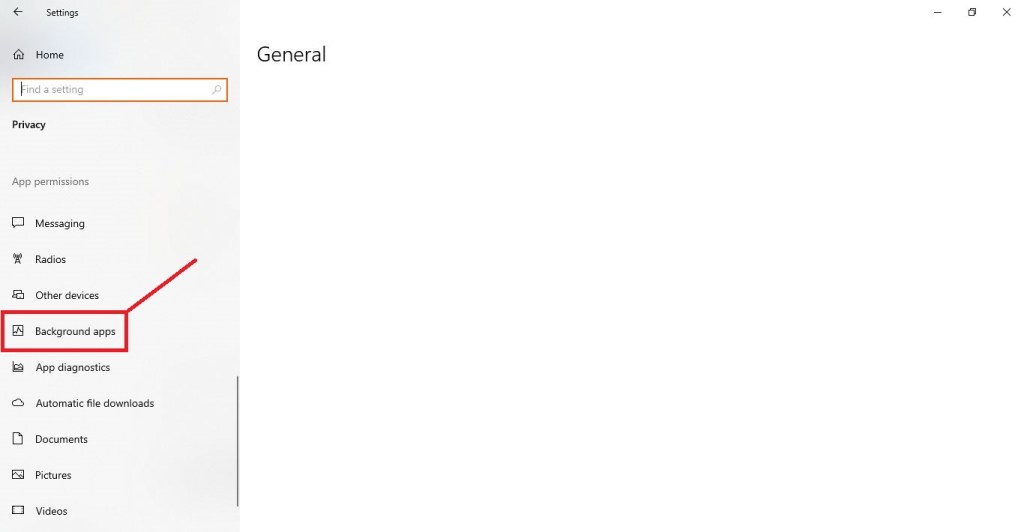
4. Select ‘Background apps’ from the list on left side
5. Now toggle the apps which you don’t want to allow from running in Background
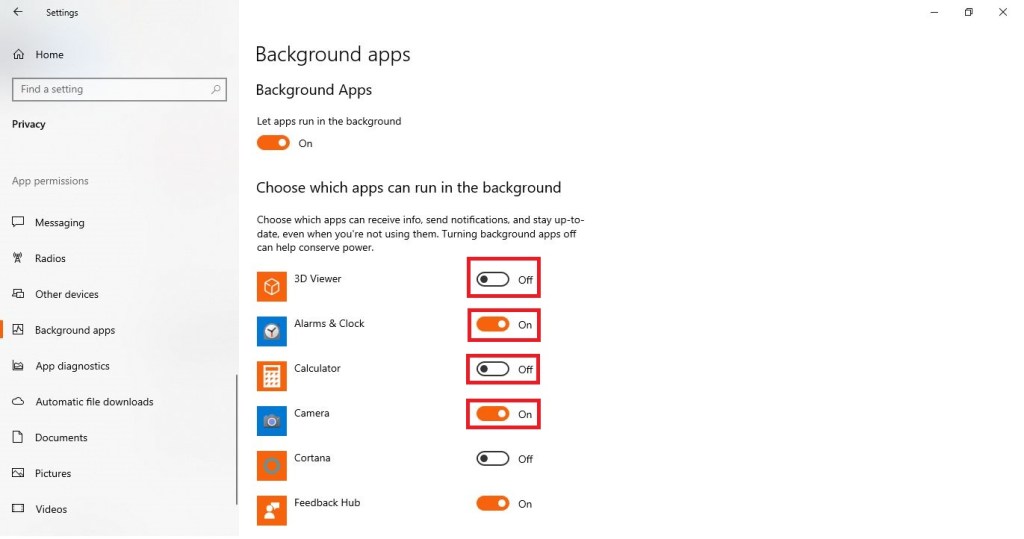
6. The apps wont run in background now
 Official Tech Nest
Leave a comment