

There are only two desktop icons present on your freshly installed windows (version 8 & 10) i.e., ‘Recycle Bin’ and ‘Microsoft Edge’. If you want to add other icons like This PC, Control Panel, User’s Files, and Network to your desktop then you are at the right place……
Note : In this blog you are not getting any type of shortcut for the names mentioned above. These are just the real icons of windows
Steps to add Window’s Desktop Icons are as follows :
- Click on Start button
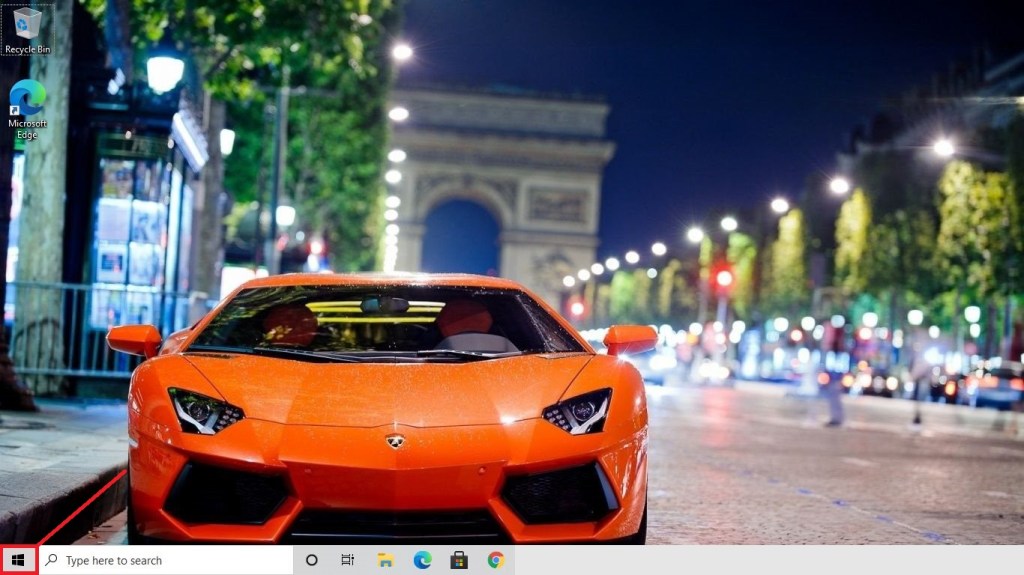
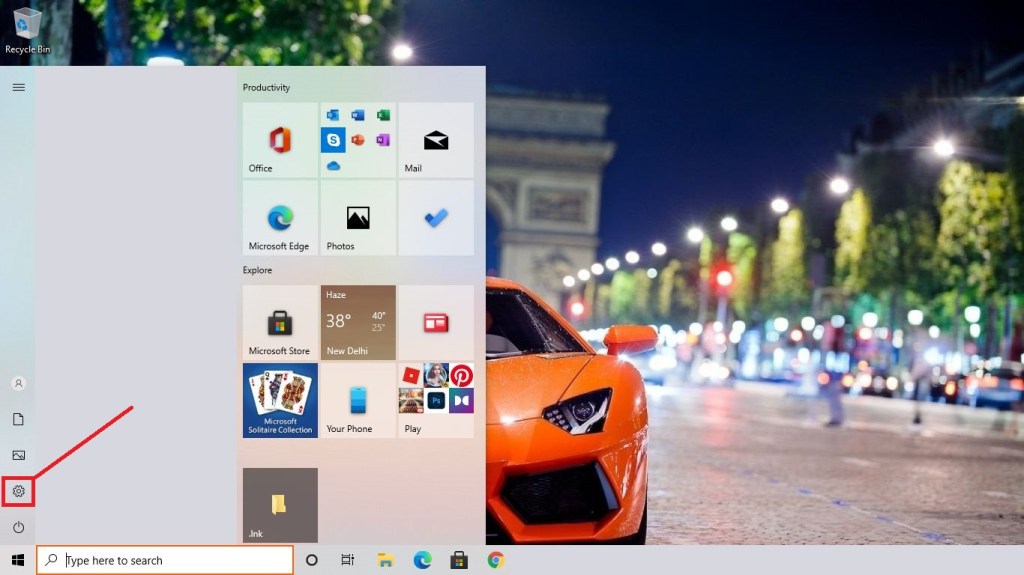
2. Select Settings options
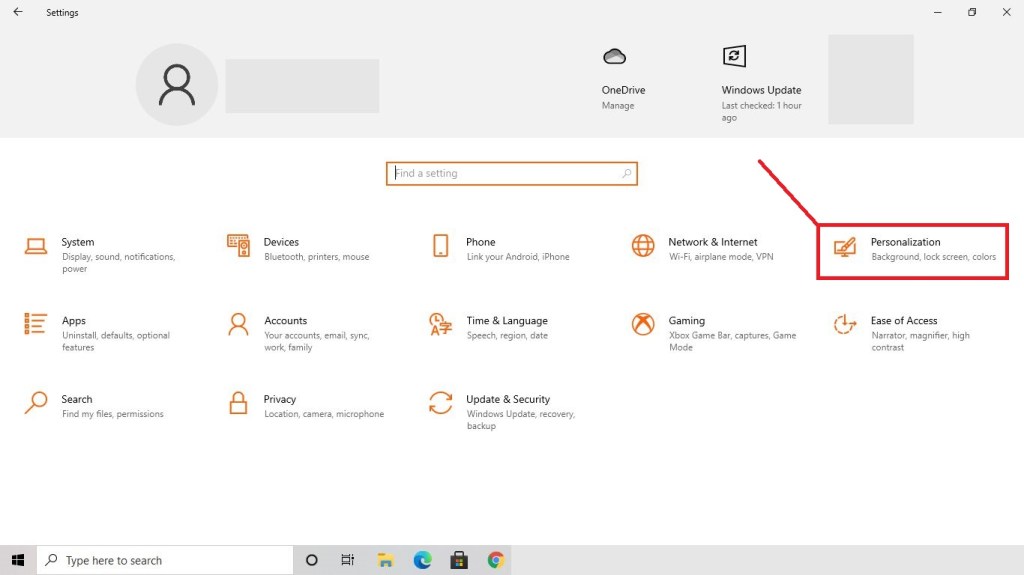
3. Open Personalisation
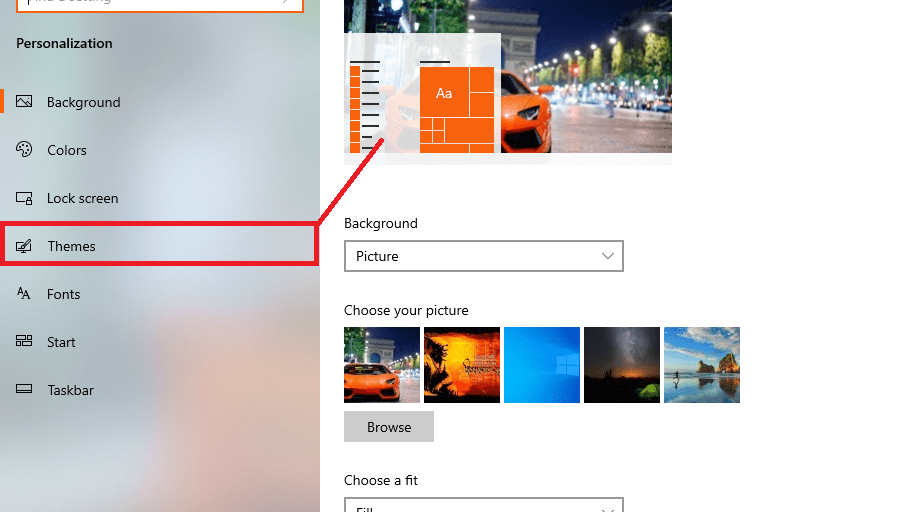
4. Select Themes
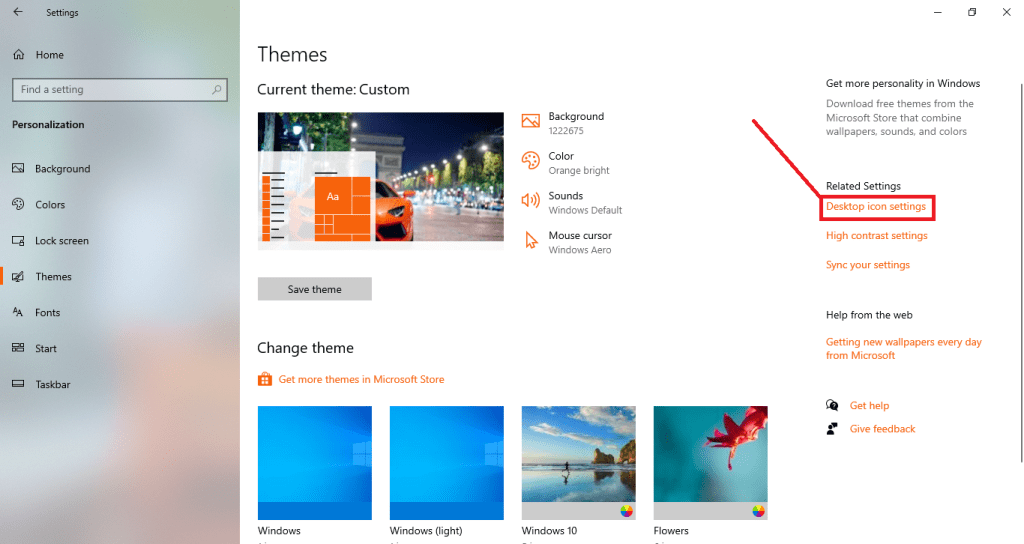
5. Click on Desktop icon settings
6. Tick mark the icons you want to have on your desktop
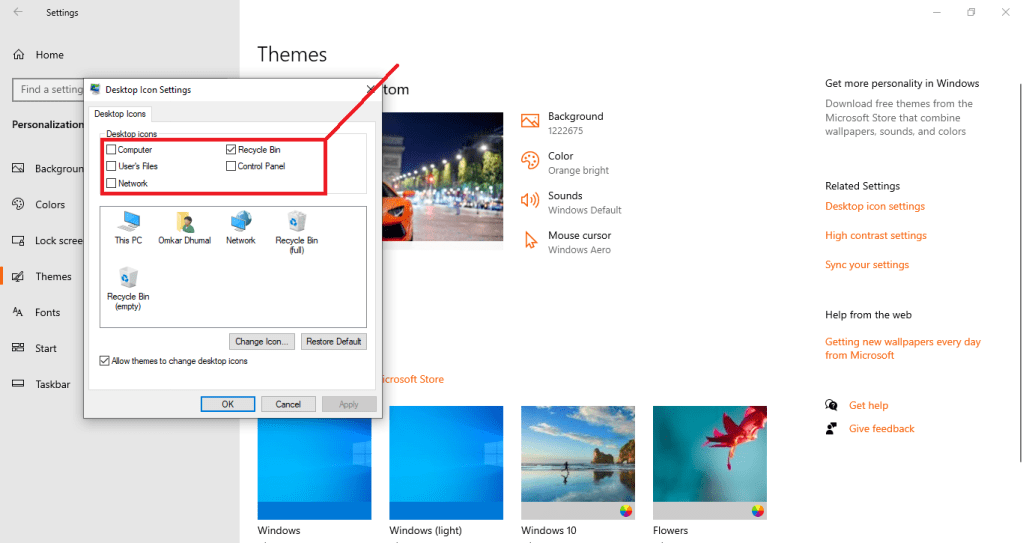
7. Click apply and Ok to add the icons
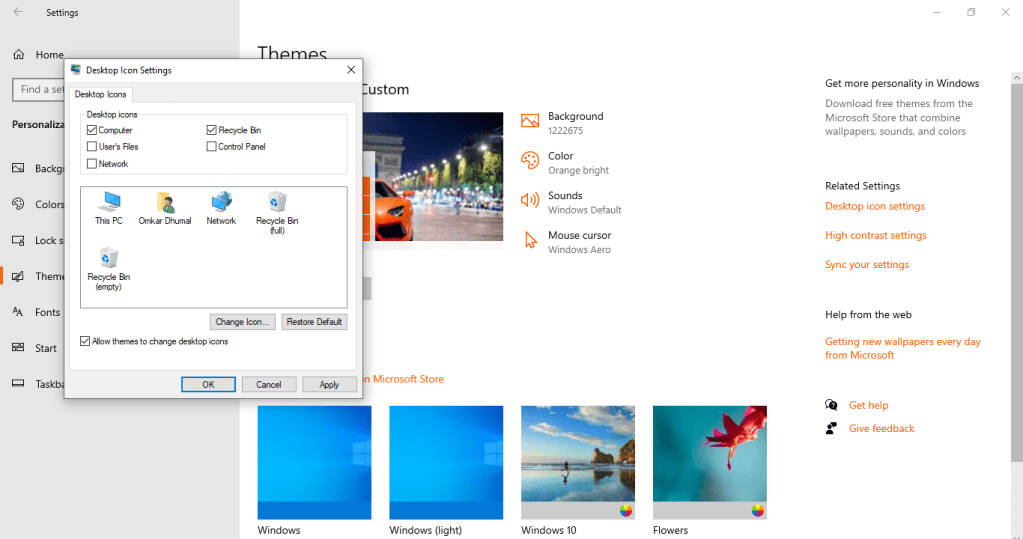
8. The icons are created on the desktop

OTHER POSTS
Android Applications opens after too long time?? Here’s the solution…..
Many often times we have issues regarding our android smartphones and devices. And if you are experiencing long time for your android applications to start then this might help you….. Actually the thing is when you tries to open any of the application in your android smart phone, you get to see the application’s default…

Wanna play youtube in background without buying premium on Android ??
Hlo readers today i am with a simple , easy and 100% working trick to play youtube in background on Android. So lets get started…… Note : Reader please note that whether, 1. Your chrome notifications are turned on and app is updated to latest version 2. Do not turn on incognito tab as this…
Got Fed up with UNNECESSARY EMAILS ? Here’s the solution
Hello users, got busy in your busy life’s haa?! Every morning u wake up u found an email on you account from say amazon or flipkart about discounts and alll or may be of somke kind of similar apps. Also this emails fills up your account storage Also gmail doesn’t likely supports deleting all the…
You can DM us your queries, experiences and suggest us for new blogs on our following :
Google email id : officialtechnest@gmail.com
Instagram id :
official_evil_devil
 Official Tech Nest
Leave a comment